
Tutorial
Introduction
Adding an AI chatbot to your WordPress website does not need to be complicated.
With ChatBudgie, you can turn your WordPress site into an AI-powered knowledge base in just a few simple steps. Once the plugin is installed and connected, ChatBudgie can automatically index your website content and help visitors get answers based on your actual posts and pages.
This tutorial will walk you through the complete setup process.
You only need to do three things:
- Install and activate ChatBudgie
- Connect your SuperBudgie account
- Start chatting with your website visitors
Step 1: Install and Activate ChatBudgie
The first step is to install ChatBudgie on your WordPress website.
Download ChatBudgie plugin from official website(https://chatbudgie.superbudgie.com/) or Github(https://github.com/SuperBudgie/chatbudgie-wp-plugin)
From your WordPress admin dashboard, go to the plugin installation area, upload and install ChatBudgie. After installation, activate the plugin.
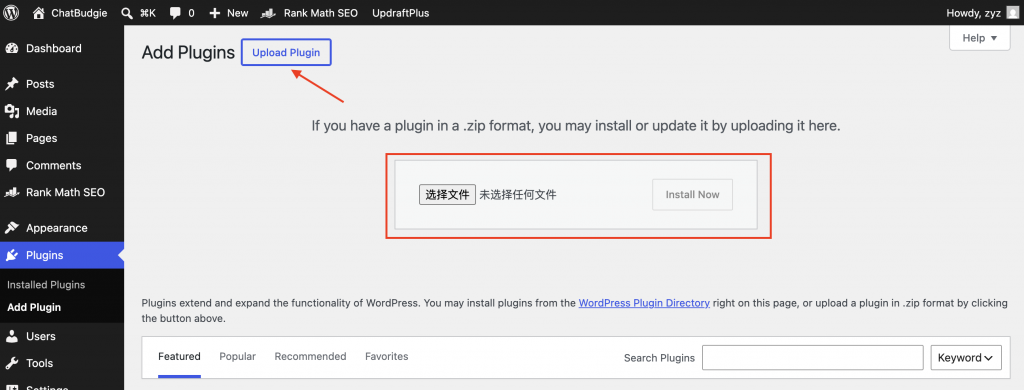
Once activated, ChatBudgie will add its own menu inside your WordPress admin dashboard. This is where you can manage the plugin, connect your account, check indexing status, customize the appearance, and view usage information.
Step 2: Connect Your SuperBudgie Account
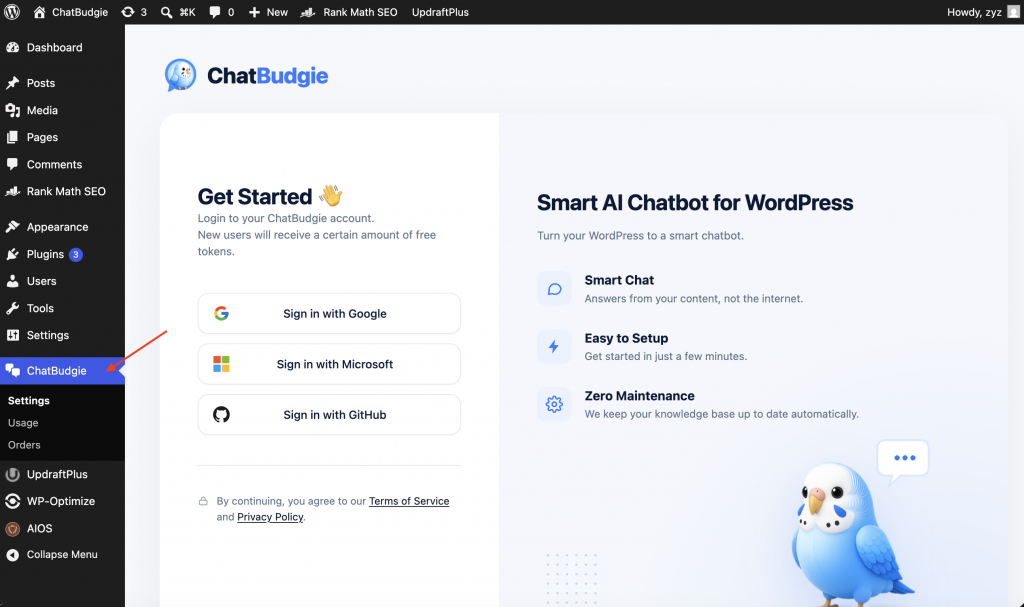
After activating the plugin, the next step is to connect your account.
This connection authenticates your website and allows ChatBudgie to access the SuperBudgie API services for indexing content and generating chatbot answers.
Inside the ChatBudgie admin page, log in with your account. Once the connection is complete, your website will be ready to use ChatBudgie’s AI features. New users will receive a certain amount of free tokens.
Step 3: Start Chatting
Once ChatBudgie is installed, activated, and connected, you can start using the chatbot on your website.
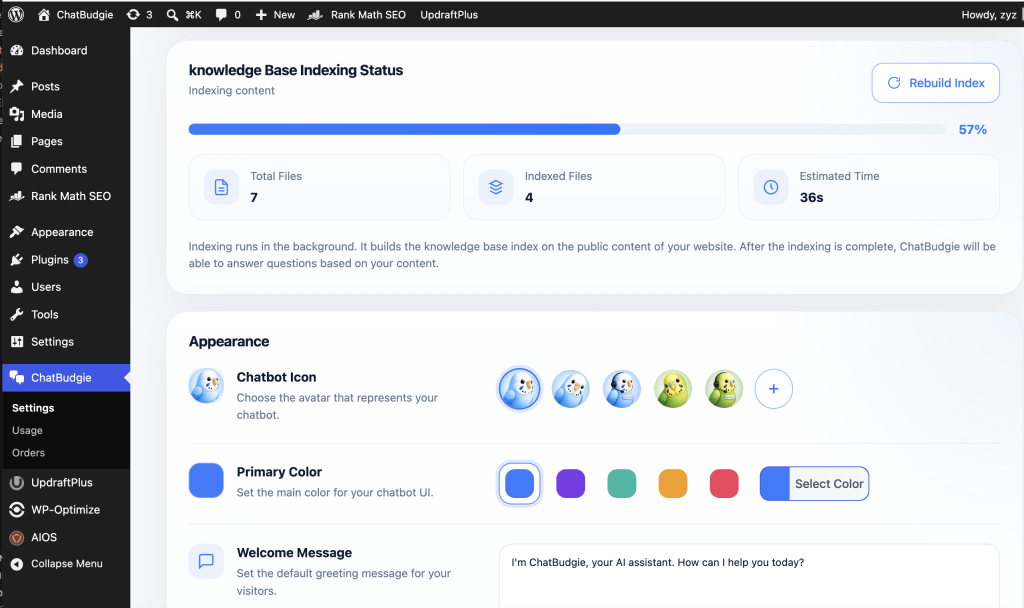
ChatBudgie will automatically index your WordPress content in the background. After indexing is complete, visitors can ask questions through the chat widget and receive answers based on your website content.
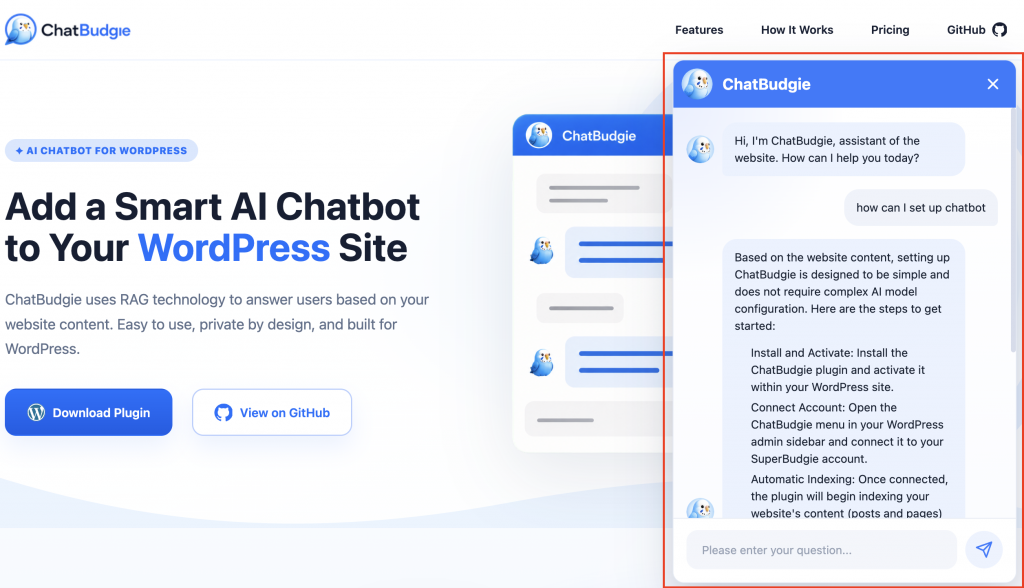
For example, visitors can ask questions like:
“How do I install this product?”
“What services do you offer?”
“Can I customize the chat widget?”
“How does this feature work?”
“Where can I find pricing information?”
ChatBudgie searches your website content and uses relevant information to generate helpful responses.
This gives your visitors a faster and more natural way to explore your website.
What Happens in the Background?
Although the setup process is simple for users, ChatBudgie does powerful work behind the scenes.
After you connect your account, ChatBudgie scans your WordPress posts and pages. It breaks your content into smaller sections, creates AI embeddings, and builds a searchable local knowledge base index.
When a visitor asks a question, ChatBudgie searches this local index to find the most relevant information from your website. Then it uses an AI model to generate a helpful, human-like response.
This process is called Retrieval-Augmented Generation, or RAG.
In simple terms, RAG helps ChatBudgie answer questions using your actual website content instead of relying only on general AI knowledge.
Customize the Chat Widget
ChatBudgie also lets you customize the appearance of the chat widget.
You can adjust settings such as the chat bubble icon and colors so the widget feels natural on your website. This helps the chatbot match your brand instead of looking like a random third-party tool.
A well-designed chat widget can make your website feel more polished, friendly, and interactive.
Conclusion
ChatBudgie makes it easy to add an AI chatbot to your WordPress website.
You can set it up in three simple steps: install and activate the plugin, connect your account, and start chatting with your visitors.
Behind the scenes, ChatBudgie automatically indexes your website content and uses AI to answer questions based on your actual posts and pages.
For WordPress site owners, this means less setup work, less technical complexity, and a smarter experience for visitors.
With ChatBudgie, your website can become more than a collection of pages. It can become an AI-powered knowledge base that helps visitors find answers faster.